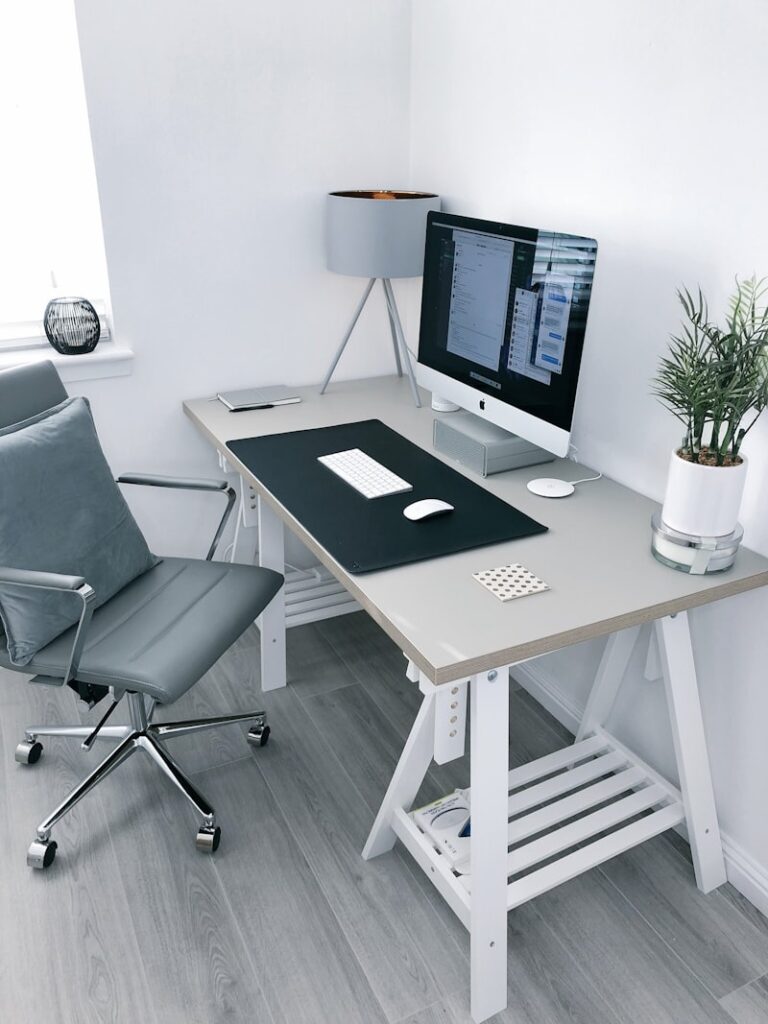

Creating a perfectly clean, wireless-looking workspace is the dream of every remote professional. But if you rent an apartment, own an expensive hardwood desk, or work on a glass table, you cannot simply take a power drill and start punching holes into the furniture. Mastering under desk cable management no drill techniques is the ultimate hack to achieving that showroom aesthetic without permanently damaging your property.

When you have two monitors, a PC, a laptop charger, and a desk lamp, you easily have a dozen thick black wires dangling by your feet. The interior design experts at Apartment Therapy frequently utilize heavy-duty adhesives and clever routing tricks to hide wires in modern, drill-free apartments. Let’s break down the best under desk cable management no drill strategies to completely transform your home office setup.
📐 Unsure About Your Desk & Chair Height?
Use our free Ergonomic Desk Height Calculator to get exact inch-by-inch measurements for standing, sitting, and monitor positioning based on your height.
The Clamp-On Cable Tray
The standard way to hide cables is to screw a massive metal basket into the bottom of the table. Since we refuse to use a drill, the greatest alternative on the market is the Clamp-On Cable Tray.
These brilliant metal baskets feature large C-clamps (similar to monitor arm mounts) that slide over the back edge of your desk. You simply twist a knob to lock them in place. They are large enough to hold massive six-outlet surge protectors and the heavy power bricks for your laptops. Because they clamp tightly, they can easily hold 10 to 15 pounds of heavy wiring without ever sagging, and they leave zero damage when removed.
Adhesive Wire Raceways (The Invisible Track)
If you need to route a cable neatly down the leg of your desk so it can plug into the wall, you need an adhesive wire raceway. These are long, hollow plastic tubes that feature a strong double-sided tape backing.
You peel off the backing and stick the plastic channel directly to the back of your desk’s metal legs. Once attached, you pop open the front cover, shove three or four cables inside, and snap it shut. The messy black cables are instantly hidden inside a clean, rigid channel that blends perfectly into the architecture of the desk.
The 3M VHB Tape Hack for Power Strips
The biggest challenge in any no-drill setup is hiding the heavy power strip. If you don’t want to buy a clamp-on tray, you can mount the power strip directly to the underside of your desk using industrial tape.
Standard double-sided tape will peel off after a few days because the power strip generates heat, which melts cheap glue. You must use 3M VHB (Very High Bond) acrylic tape. Apply two long strips of VHB tape to the back of your surge protector, press it firmly into the underside of the wood or metal desk frame, and let the adhesive cure for a full 24 hours before you plug any heavy cords into it.
Cable Sleeves for the Final Mile
Even with the power strip hidden, you still have multiple cables dropping down from your dual monitors. Having five individual cords dangling in the air looks chaotic.
Gather all of those monitor cables together and wrap them in a flexible neoprene cable sleeve or a split-braided loom. This simple $10 trick consolidates five messy wires into one thick, intentional-looking “umbilical cord” that drops cleanly down behind the desk, drastically reducing visual clutter.
Final Thoughts
You do not need a toolbox to achieve a perfectly clean workspace. By utilizing clamp-on metal trays, rigid adhesive raceways, and heavy-duty 3M tape, you can execute a flawless under desk cable management no drill setup that protects your expensive furniture while hiding every single wire.