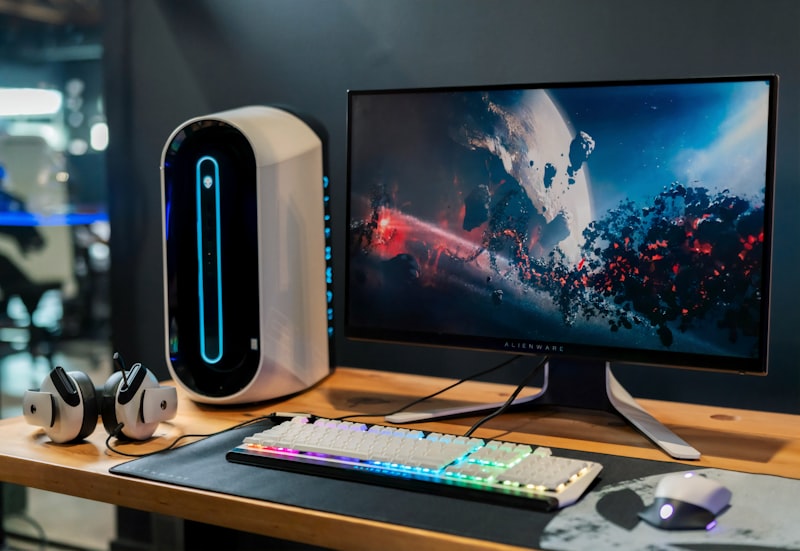

Finding the perfect desk size for dual monitors is one of the most critical, stress-inducing decisions you will make when building your remote workspace. Buying a desk online is incredibly risky. In the heavily edited product photos, a desk might look massive, but once you finally set up your dual 27-inch monitors, you realize your keyboard is hanging off the edge and your screens are blindingly close to your face.
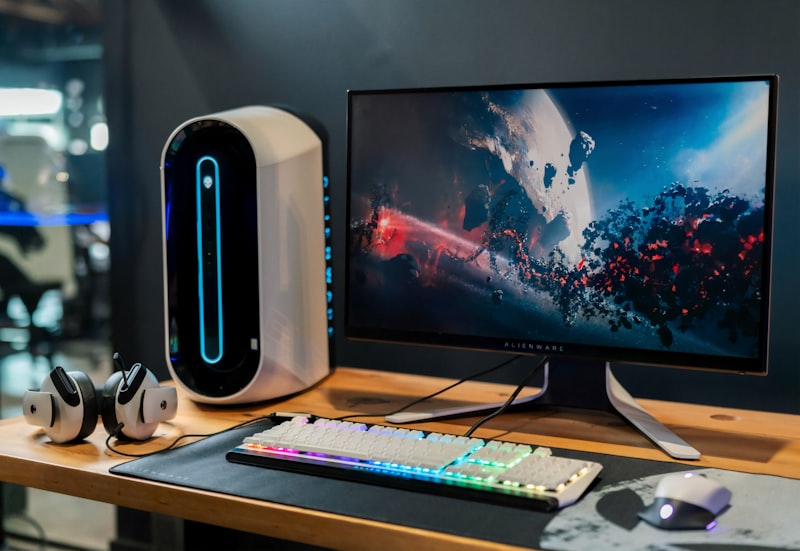
Getting the exact right dimensions is critical for a dual-monitor layout to prevent severe eye strain and wrist pain. When designing your home office setup, you must calculate both the width and the depth of the tabletop before you pull out your credit card. According to the American Optometric Association, positioning screens too close causes digital eye fatigue. In this guide, we will break down the exact mathematical dimensions you need for the perfect desk size for dual monitors.
📐 Unsure About Your Desk & Chair Height?
Use our free Ergonomic Desk Height Calculator to get exact inch-by-inch measurements for standing, sitting, and monitor positioning based on your height.
The Critical Metric: Desk Depth
Most people focus exclusively on the width of the desk, assuming that wider is always better. However, depth is actually the most important measurement for long-term ergonomics and visual health.
Two 27-inch monitors output a massive amount of light and heat. If your desk is only 24 inches deep (which is the standard dimension for cheap, budget desks on Amazon), those massive monitors will sit less than an arm’s length from your face. Furthermore, a shallow desk leaves you with absolutely zero room to rest your forearms in front of your keyboard, leading to wrist pronation.
The Ideal Depth: 30 inches. A 30-inch deep desk allows you to push the monitors back to a safe viewing distance while leaving ample room for a deep XXL desk pad, your mechanical keyboard, and a comfortable resting area for your arms.
The Recommended Width for Your desk size for dual monitors
A standard 27-inch monitor with thin bezels is roughly 24 inches wide. If you place two of them side-by-side, they require an absolute minimum of 48 inches of horizontal space just to physically fit on the table.
- The 48-Inch Desk: At this width, the two monitors will fit exactly edge-to-edge. However, they will consume 100% of the tabletop. You will have absolutely zero room on the sides for a set of studio monitors, a desk lamp, or placing your PC tower on the desk.
- The 60-Inch Desk (The Sweet Spot): A 60-inch wide desk is the golden standard. It allows two 27-inch monitors to sit comfortably in the center, leaving roughly 6 inches of negative space on both the left and right sides. This negative space is visually appealing and essential for speakers or resting a coffee mug.
- The 72-Inch Desk: If you are running three monitors, or dual massive 32-inch 4K monitors, you must upgrade to a 72-inch width. This executive-sized desk provides ultimate freedom but requires a dedicated, large home office room.
The “Monitor Arm” Cheat Code
If you already own a desk that is slightly too shallow (for example, 24 inches deep), you do not necessarily need to throw it away. You can artificially “increase” the usable depth of the desk size for dual monitors by utilizing a heavy-duty clamp arm.
The plastic factory stands that come in the box with your monitors take up between 8 to 10 inches of depth on your desk. By clamping a dual-monitor pneumatic arm to the absolute back edge of the desk and floating the screens in the air, you instantly reclaim massive amounts of usable desktop real estate beneath the screens. This makes a small desk feel significantly larger and less cluttered.
Final Thoughts
Never guess when buying furniture online. Grab a tape measure, map out exactly how much physical space your hardware requires, and prioritize depth over width. By ensuring your desk is at least 60 inches wide and 30 inches deep, you will guarantee a comfortable, ergonomic, and breathtaking dual-monitor setup.